 orkiva
 Open this resource#
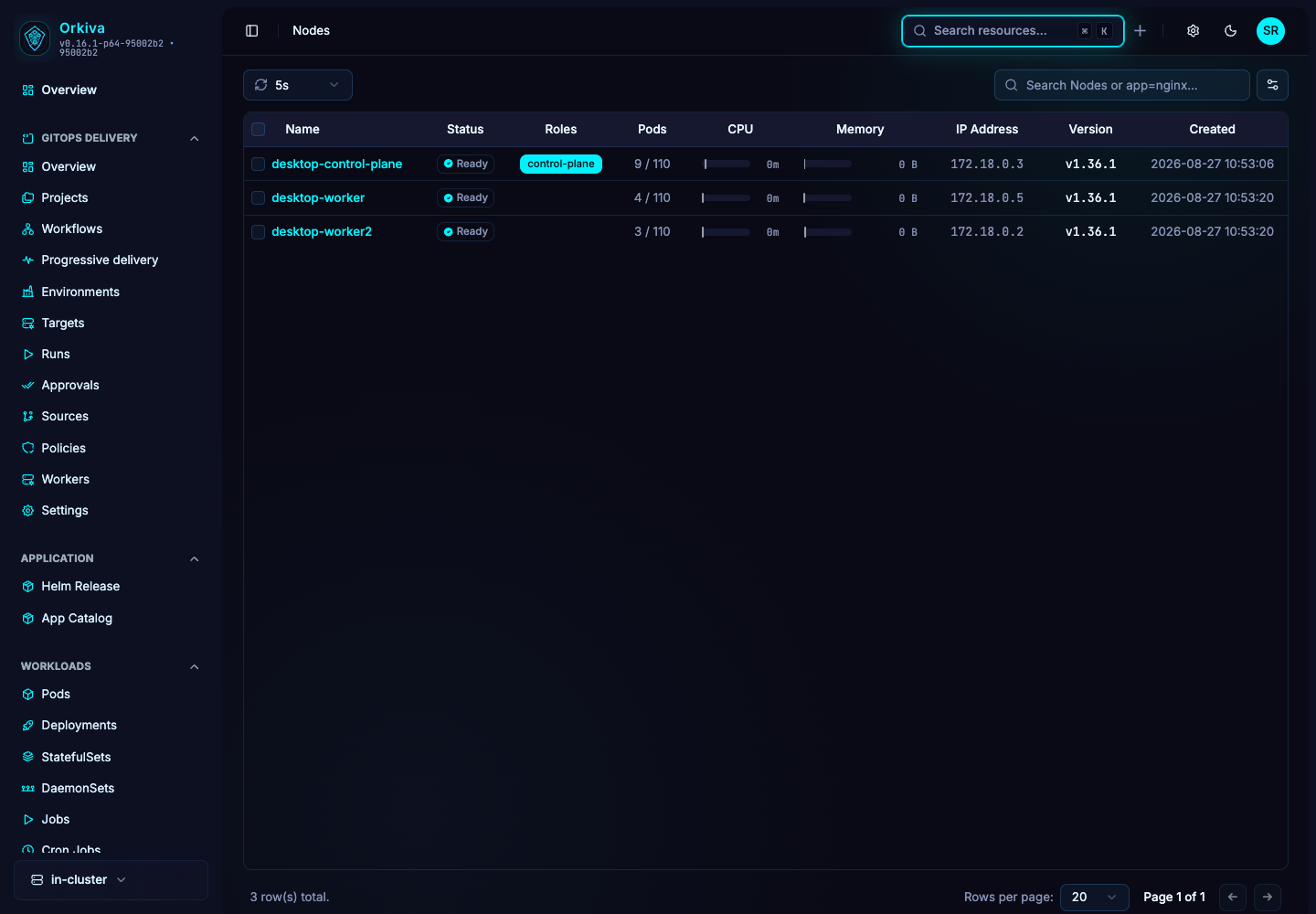
Console route: /nodes. This is a cluster-scoped resource; no namespace is part of its identity.
- Select the correct cluster in the sidebar.
- Open Nodes and narrow the list using the available namespace/search controls.
- Select the exact object by name. Verify its scope and identity at the top of the detail page.
What to inspect#
Readiness, roles, addresses, capacity/allocatable observations, pods and taints.
Refresh the resource when you need the latest observation. Overview fields summarize the object; YAML exposes the complete returned document. A placeholder or missing status field should not be read as a successful or zero-valued result.
Use the available features#
Use Cordon to prevent new ordinary scheduling and Uncordon to restore it. Drain has options for force, local-data deletion, ignoring DaemonSets and grace period; inspect affected pods and disruption constraints before confirming. Taint accepts key/value and NoSchedule, PreferNoSchedule or NoExecute; remove a taint through its action when intended. Terminal is separately enabled/authorized.
Describe, Clone, YAML editing and Delete are shared resource actions where the page and your permissions allow them. Read Create, edit, clone and delete resources before applying a change.
A practical investigation#
After drain, inspect actual pod placement and availability before working on the machine. Cordon is not a process shutdown; Drain is not an Orkiva database backup. Do not select force or local-data deletion merely to bypass an unexplained failure.
- Establish the current state and the symptom you want to resolve.
- Identify whether a controller, Helm release or Delivery project owns the object.
- Make the smallest authorized change through that owner when possible.
- Refresh and verify the resulting resource state. Inspect related objects rather than stopping at a successful save message.