 orkiva
 Read the project summary#
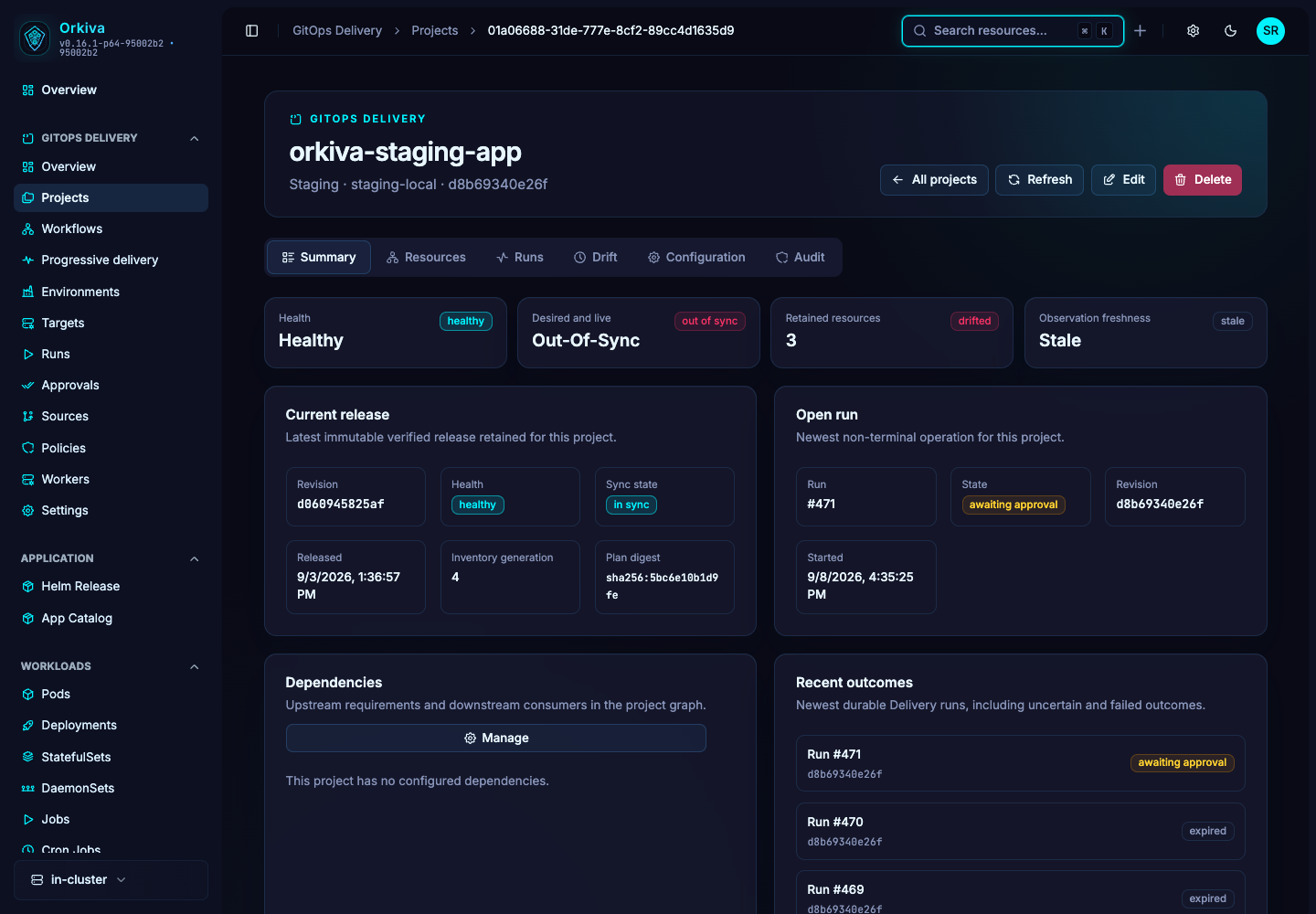
Open Projects and select a project. Compare the configured revision, desired state, observed resource health and last retained release. These are separate facts: the last successful release can be healthy while a newer desired revision is out of sync.
- Check the source, renderer, environment and target.
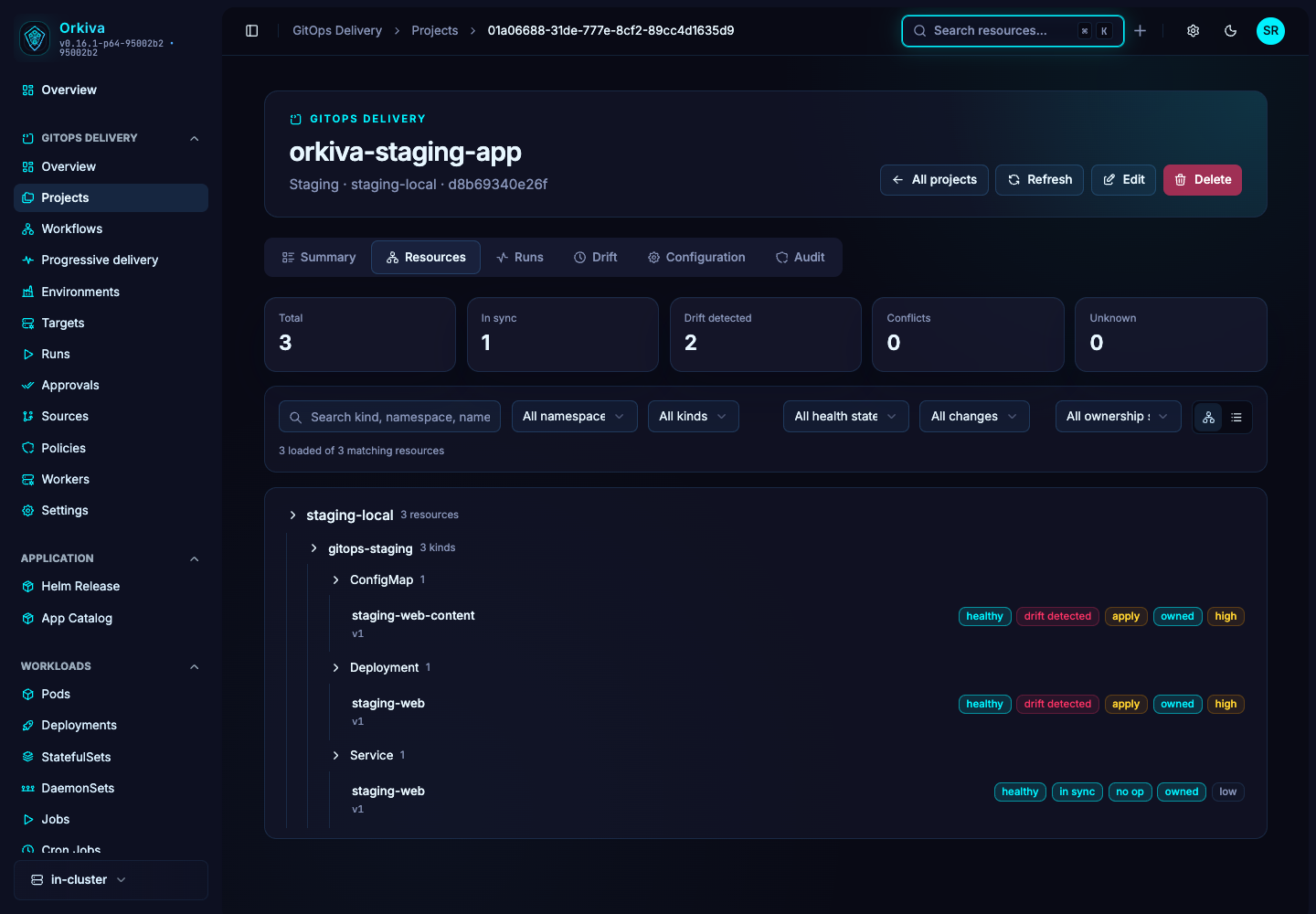
- Open the resource inventory and inspect changed, missing or unhealthy objects.
- Check the observation time before relying on a drift/health badge. A stale observation needs a fresh check.
- Follow the active or recent run to see whether the desired change is planned, blocked, awaiting approval or already applied.
Inspect resource changes#
Use the resource panel to inspect object identity, ownership and available detail/diff information. A resource count alone does not show the significance of a change. Review namespace, kind and action, especially when a plan includes deletion or changes to cluster-wide objects.
Plan/artifact access can require a permission separate from basic project viewing. An inaccessible diff is not an empty diff.
Edit a project#
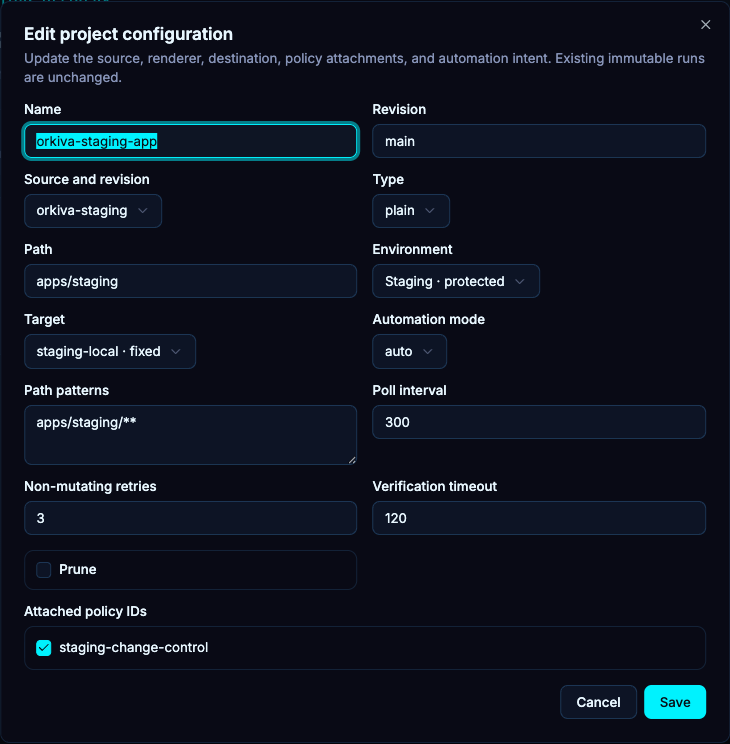
- Open Edit and change only the source/revision, renderer, destination, policy or automation settings needed.
- Review prune, polling and verification settings before saving. Pruning authorizes removal of inventory-managed objects absent from desired state.
- Save and resolve any version conflict by refreshing and reviewing the latest configuration.
- Preview the new configuration. Previous approval or release evidence does not automatically cover a changed plan.
Automation modes#
| Mode | How to approach it |
|---|---|
| manual | Use explicit actions to create the delivery attempts you want. Appropriate for a first rehearsal. |
| preview | Use source automation to evaluate proposed changes without assuming they have been applied. |
| auto | Allow configured source automation to progress through its delivery gates. Policy, approval, windows and target restrictions still apply. |
Polling interval, jitter and path patterns determine when and which source changes are evaluated. Auto does not mean unconditional execution.