 orkiva
 Create a source#
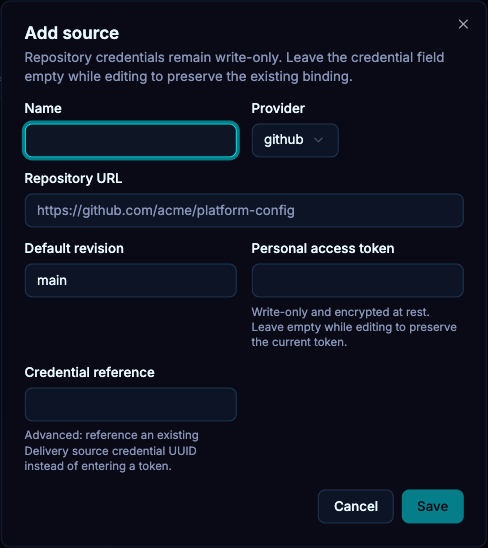
- Open GitOps Delivery → Sources and choose the create action.
- Set a name and select the provider offered by the form.
- Enter the repository URL and default revision. Use a repository/revision the runner can fetch.
- For a private repository, provide an access token or the supported credential reference. Keep credentials out of the repository URL.
- Save, then use onboarding inspection or a manual preview run to validate access.
The runner’s source-host allowlist and private-network policy can reject a repository even when its credentials are valid. Configure the exact required destination through the operator rather than allowing arbitrary egress.
Update source access#
Edit the source to change repository settings or replace credentials. Existing secret fields are not displayed back as plain text. Respect the form’s preserve-current behavior when leaving credential inputs empty, and test a fetch after deliberate rotation.
The default revision is a source default. A project can select its own revision; changing the default is not equivalent to changing every project’s pinned configuration.
Polling and webhooks#
Projects can poll for source changes according to their automation mode, interval, jitter and path patterns. Provider webhook endpoints are registered under /api/v1/delivery/webhooks/:provider/:sourceId. Configure the provider using the source’s actual identity and the installation’s webhook security settings; the endpoint must be reachable from the provider.
A received webhook is a trigger, not an approval or proof of deployment. Follow the resulting run. The system can coalesce or ignore source activity that does not produce a relevant new revision.
Fetch failures#
- Repository unavailable: verify URL, provider access and the selected revision.
- Unauthorized: check credential scope, expiry and the selected credential reference.
- Egress blocked: review the allowlist and whether the hostname resolves to a private destination.
- No relevant change: inspect the project’s revision and path filters before assuming webhook delivery failed.