 orkiva
 Inspect installation health#
- Open Settings → Operations.
- Review dependency status and the observed maintenance state. The page refreshes health and maintenance observations periodically.
- Identify which dependency is degraded before changing unrelated configuration.
- Check the available support-window information and include the relevant version/context in a support request.
This page reports operational observations. It does not prove that every customer workload or application transaction is healthy.
Download a support bundle#
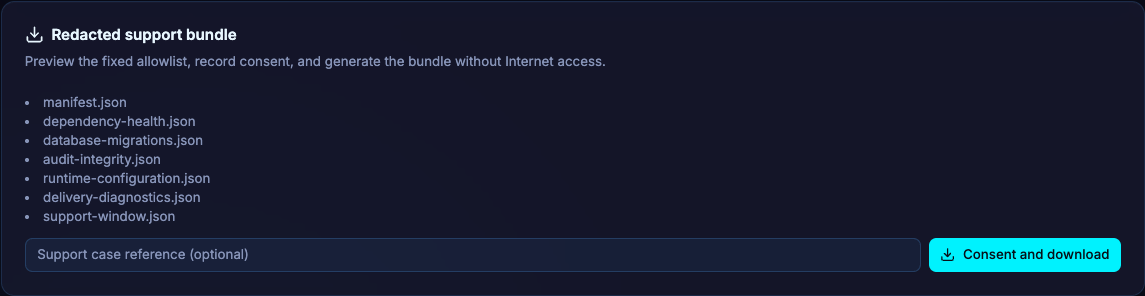
- Review the support-bundle preview to understand the categories of data that will be included.
- Enter a case reference if you have one.
- Download the bundle and keep the filename and case reference together.
- Review the archive through your organization’s support process before sharing it with an external party.
The download action saves a file locally; it does not automatically send the archive to a support engineer. A support bundle is diagnostics, not a coordinated backup.
Create a notification destination#
- Enter a name, select the destination type and configure its endpoint.
- Provide the destination-specific authorization, signing secret and recipient where required. For Telegram, use its token/recipient fields; email-webhook uses a recipient address and a webhook service.
- Enter the event types as a comma-separated list and save. Complete reauthentication when prompted.
- Use Test and confirm receipt in the destination. A successful configuration save does not prove the receiver accepted a notification.
- Delete destinations that are no longer used and rotate their secrets through the owning service.
Testing sends an actual message to the configured destination. The endpoint must be reachable and permitted by the installation’s egress rules. Delivery notification routes reference destinations and add routing/escalation behavior; they are configured separately.