 orkiva
 Find and read a run#
- Open Runs or follow a run from its project. Filter by the relevant state and search context.
- Check the project, target, source revision and requested mode before reading the stage timeline.
- Inspect fetch/render results, then the plan and policy decision.
- If apply occurred, inspect execution and verification evidence rather than relying only on the overall badge.
- Use the event history and support context identifiers to correlate the attempt with operator diagnostics.
Review the plan#
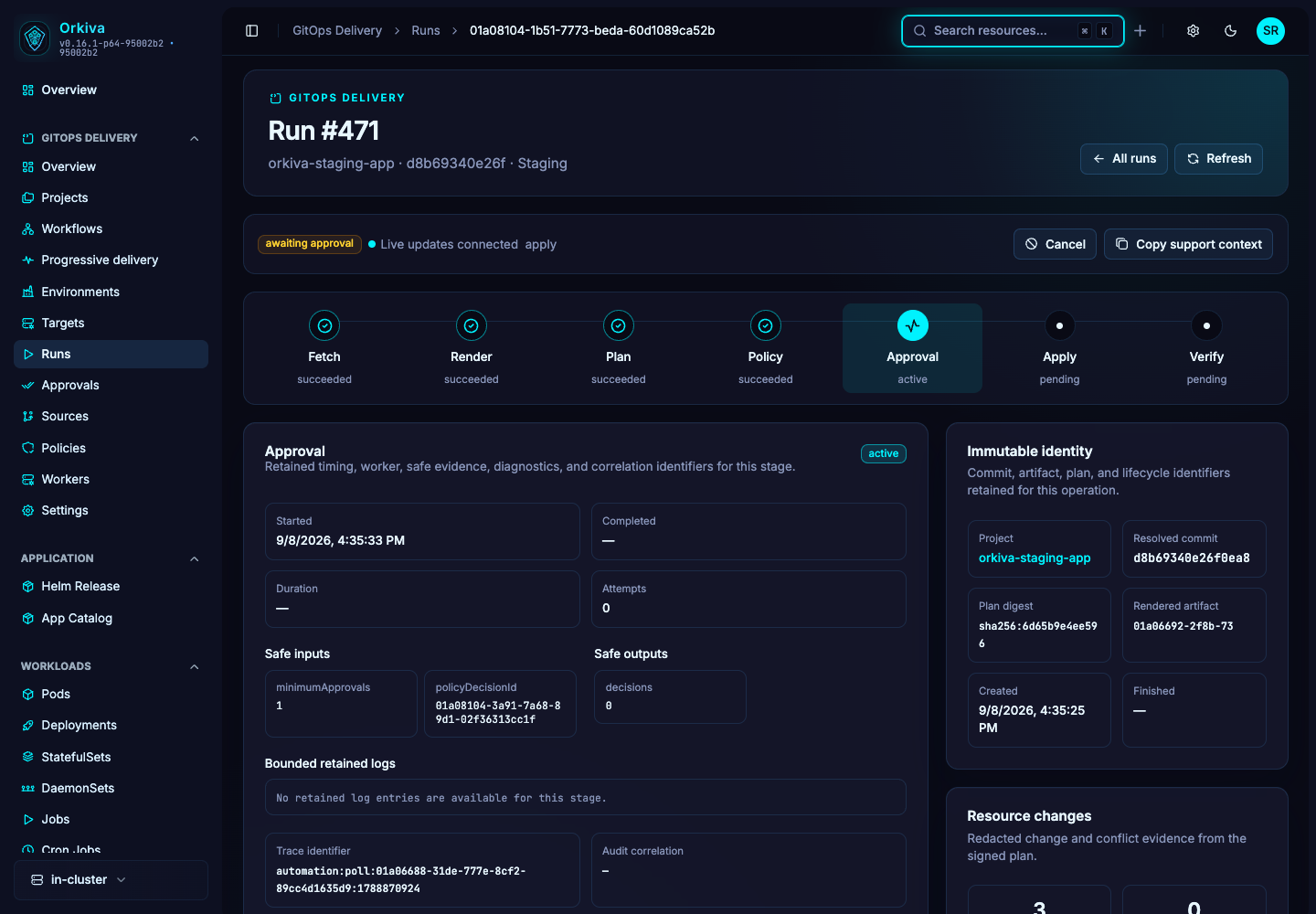
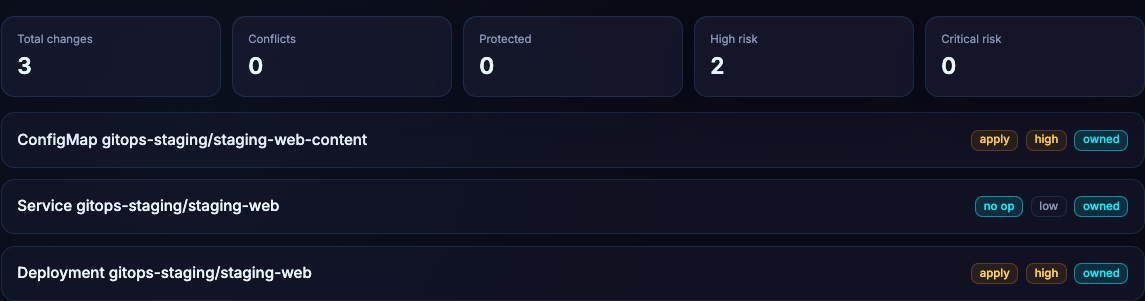
The plan explains intended object actions and associated evidence. Review additions, changes, deletions and no-op objects. Verify the resolved commit and target. A plan digest identifies reviewed evidence; an approval for an older digest is not an approval for a new plan.
If the plan has not been produced yet, the plan panel can be empty because an earlier stage is pending or failed. That is different from a completed plan containing no changes.
Retry, cancel, rollback and reconcile#
| Action | Meaning and follow-up |
|---|---|
| Retry | Starts another permitted attempt. Inspect the new run and its inputs; do not treat it as resuming an arbitrary partial mutation. |
| Cancel | Requests cancellation. Changes already sent to Kubernetes are not automatically undone. Check final state and events. |
| Rollback | Creates a recovery delivery from available retained evidence. Review the resulting run and its verification. |
| Reconcile | Use when the server offers recovery for an uncertain or incomplete outcome. Establish live state before assuming success or failure. |
The UI exposes actions according to the server-provided capabilities for that run. If an action is unavailable, inspect its state and permissions instead of manually changing database state.
Unknown outcome#
An unknown-outcome run means the system cannot safely claim the final result of the attempt. Inspect the target resources, execution receipts and retained artifacts. Use the offered recovery flow and operator evidence. Blindly retrying a mutation can compound an uncertain result.
Example: review a Kubernetes image change before deployment#
Suppose a Git change updates a Deployment image. Before allowing that change onto the target cluster, open the corresponding run and review these items:
- Identity: confirm the resolved commit, project, target cluster and namespace. A familiar project name is not sufficient if its destination changed.
- Scope: open Changes and inspect the affected resource actions. If an image update also proposes deletions or unrelated changes, investigate those before proceeding.
- Intent: compare the resource evidence with the reviewed Git change. Check image references, configuration and any availability-sensitive changes.
- Policy: inspect the policy result and required approvals. A successful render is not policy approval.
- Decision: follow the approval process if the run is awaiting approval. If its plan changes, review the current evidence again.
- Outcome: after Apply, inspect Verify and the live workload. Check readiness and container logs before declaring the rollout healthy.
This is a review example, not a claim about a completed customer deployment. The screenshot above shows a run waiting for approval; Apply and Verify have not completed in that capture.
Know where a run stopped#
| Stage or state | Investigation |
|---|---|
| Fetch or Render failed | Check source credentials, revision, repository path and renderer configuration. There may be no plan to review yet. |
| Policy denied | Read the decision and correct the change or reviewed policy configuration. Repeating the same run does not resolve a policy violation. |
| Awaiting approval | Check required approvers and the current plan. Waiting for a human decision is different from an execution failure. |
| Apply failed or outcome unknown | Inspect retained evidence and the live target before retrying. Some mutations may already have reached Kubernetes. |
| Verify failed | Investigate workload conditions and events. Applied objects do not guarantee a healthy application. |
Start with the first-project guide if the source, target or renderer has not yet been configured.