 orkiva
 Connect a cluster#
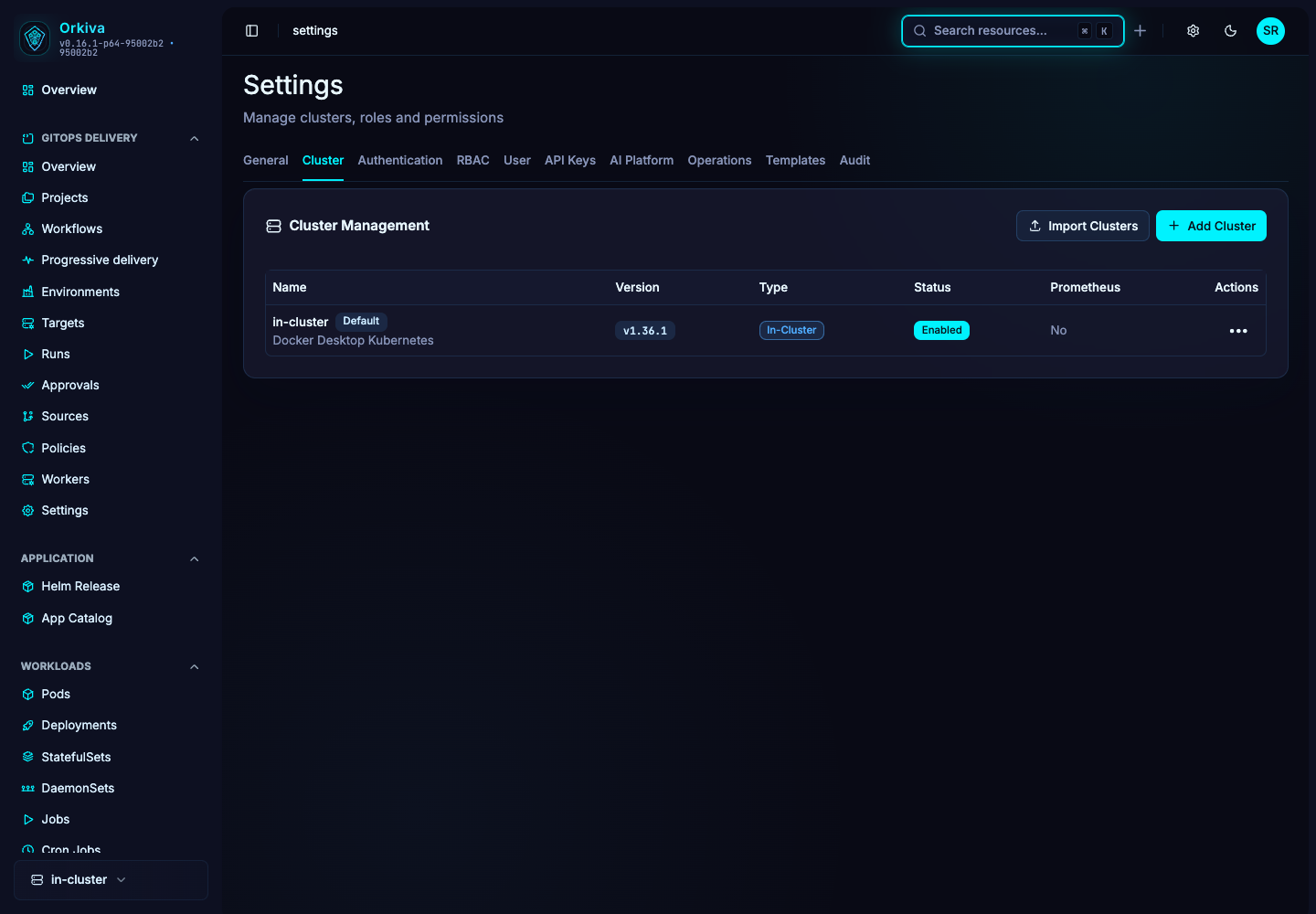
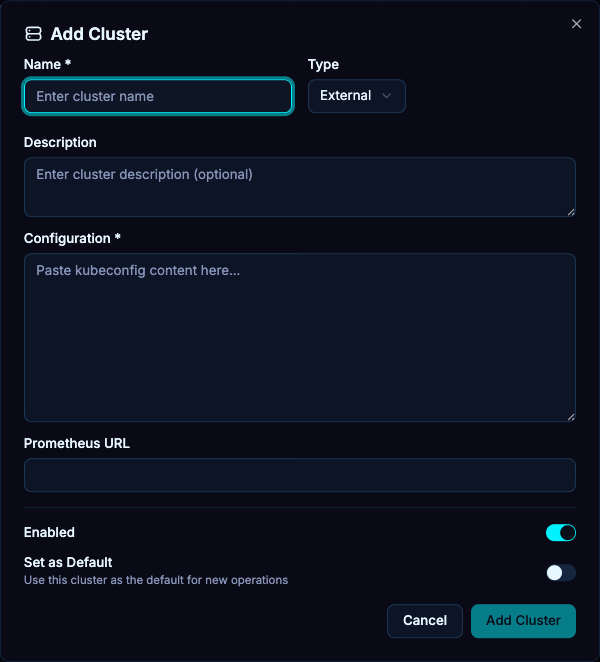
- As an administrator, open Settings → Cluster and choose Add New Cluster.
- Enter a meaningful name and select External Cluster, In-Cluster or Cluster Agent. The connection type is chosen when creating the entry.
- For External Cluster, paste the kubeconfig. For In-Cluster, the installation uses its Kubernetes service-account environment.
- Optionally set a description and Prometheus URL. Choose whether the connection is enabled and whether it should be the default.
- Save, then select the cluster and check Overview and a resource list.
A direct connection requires the Orkiva server to reach the API endpoint. Browser access to the Kubernetes API is not what this connection uses.
Import multiple contexts#
Use the cluster import dialog to paste or upload a kubeconfig instead of adding every connection manually. Review the resulting cluster entries and their names after import. Verify access one cluster at a time and avoid treating successful parsing as proof that every context can connect.
Enroll a Cluster Agent#
- Create a Cluster Agent connection and choose its permission profile.
- Open the connection’s generated installation/enrollment instructions and use the installation command or manifest for that connection. Keep enrollment material private.
- Apply it in the intended cluster using an authorized Kubernetes operator account.
- Wait for the agent connection status to update, then test the capabilities granted by its profile.
| Profile | Intended capability |
|---|---|
| inventory | Resource inventory. |
| observe | Logs and metrics observation. |
| operate | Resource operations. |
| terminal | Terminal and exec capabilities. |
| private-inference | Private inference connectivity. |
Profiles are separate permission choices, not a promise that all capabilities are included in every profile. Select the least scope that fits the subsystem you need.
Edit and troubleshoot#
When editing an external connection, leave kubeconfig empty to retain the existing configuration. Replace it only when intentionally changing credentials. If a connection is file-managed, update the source configuration instead of the dialog.
- Connection refused or timeout: check the server/agent network path and API address.
- Certificate error: verify the configured cluster CA and endpoint hostname.
- Forbidden: distinguish Orkiva role denial from the Kubernetes identity’s own RBAC.
- Agent disconnected: inspect the agent workload, enrollment/identity state and its connection to the configured gateway before attempting mutations.