 orkiva
 Choose the login methods#
Open Settings → Authentication. The page manages password-login behavior, identity-related settings, OAuth providers and LDAP configuration. File-managed authentication sections cannot be edited here.
Keep a working administrator session while validating a replacement login method. Do not disable the current method until the external sign-in flow and administrative role mapping have been tested with a separate session.
The same page has separate MFA and Passkey Login switches. Enable the relevant method, save, then have a test user enroll it in Account Settings → Security and verify sign-in. The installation-level switch and a user’s actual enrolled factor are distinct.
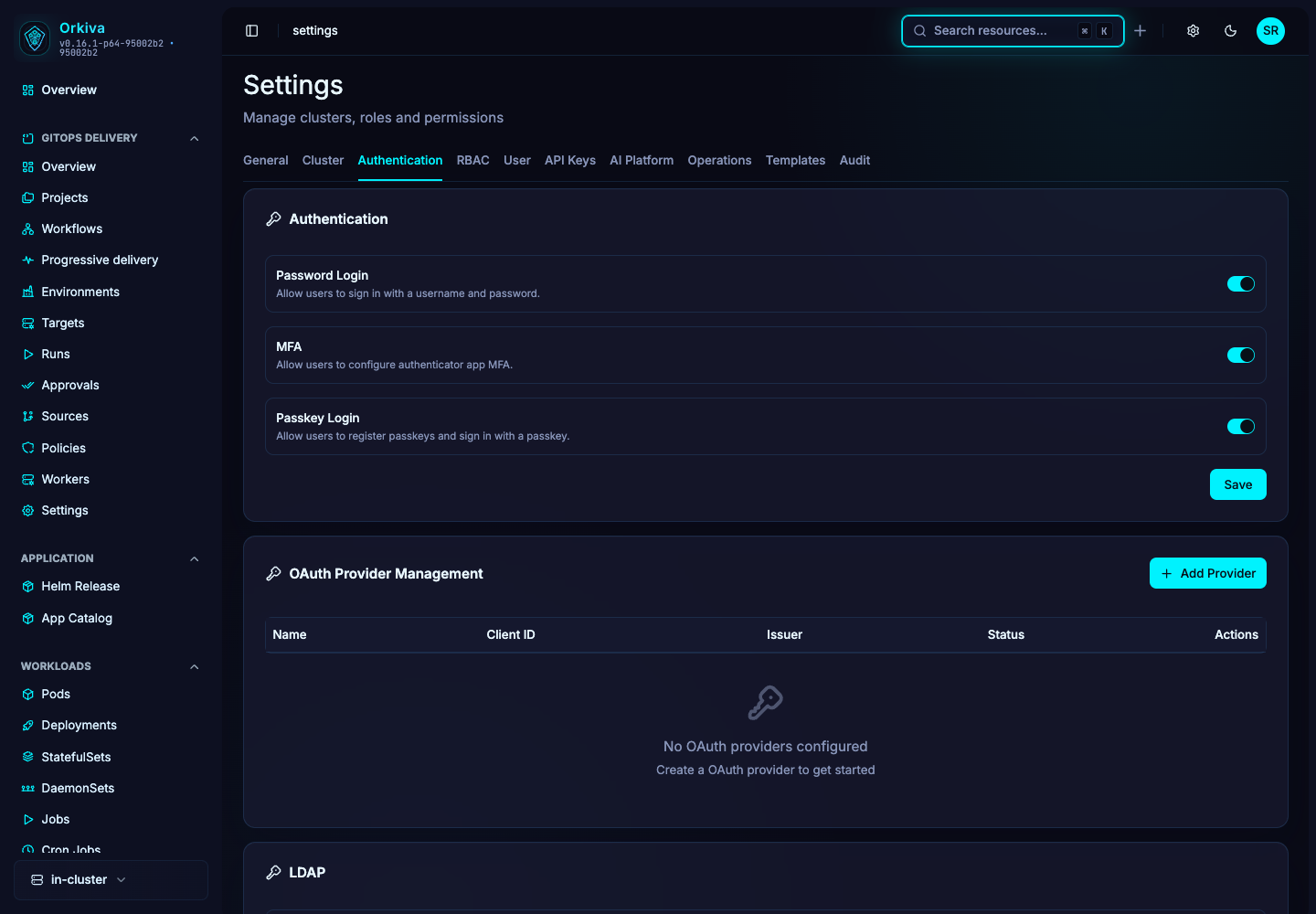
Add an OAuth provider#
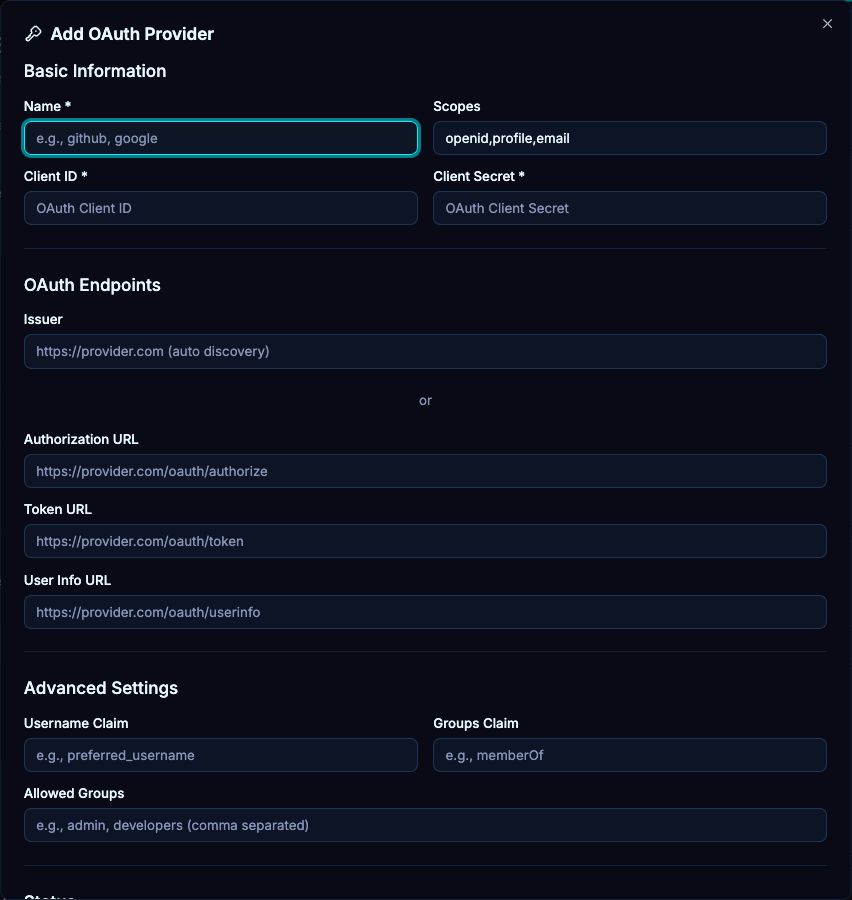
- Create a provider with the name and provider configuration appropriate to your identity service.
- Enter the client identifier and secret and configure the required provider endpoints/scopes presented by the form.
- Register the exact callback URL for your Orkiva public origin and subpath with the identity provider.
- Save and test the provider from the login screen in another session.
- Check the resulting identity and group-to-role assignments before enabling broad access.
A successful redirect to the provider is only the first half of the test. The callback must return to the same configured installation and produce the intended Orkiva identity.
Configure LDAP#
| Field | What to provide |
|---|---|
| Server URL / StartTLS | The reviewed LDAP endpoint and transport choice. StartTLS applies to an ldap:// connection when enabled. |
| Bind DN / password | The directory account used for the configured search. |
| User base DN / filter | The search base and filter that find the intended login identities. |
| Username / display-name attribute | The directory attributes used to identify and display a user. |
| Group base DN / filter / group-name attribute | The search settings that supply group membership for RBAC mapping. |
- Enter the directory settings and save. Preserve the existing bind secret when using the form’s retain-current-secret behavior.
- Test a normal user and an administrator mapping.
- Verify both successful login and denial for a directory identity outside the allowed scope.
Diagnose external sign-in#
For OAuth, check the provider response, callback URL, client configuration and trusted public origin. For LDAP, check server reachability, TLS trust, bind credentials, search bases and filter results. A valid directory password does not guarantee that the configured user search or group mapping returns the correct identity.