 orkiva
 Create the graph#
- Open Workflows and create a workflow, optionally using an available template.
- Name the workflow and select a project association when appropriate.
- Add the needed stages and configure each one using its available fields.
- Connect stages with success, failure or always edges. Check that the graph follows your intended progression.
- Validate and inspect every error and warning before saving/publishing.
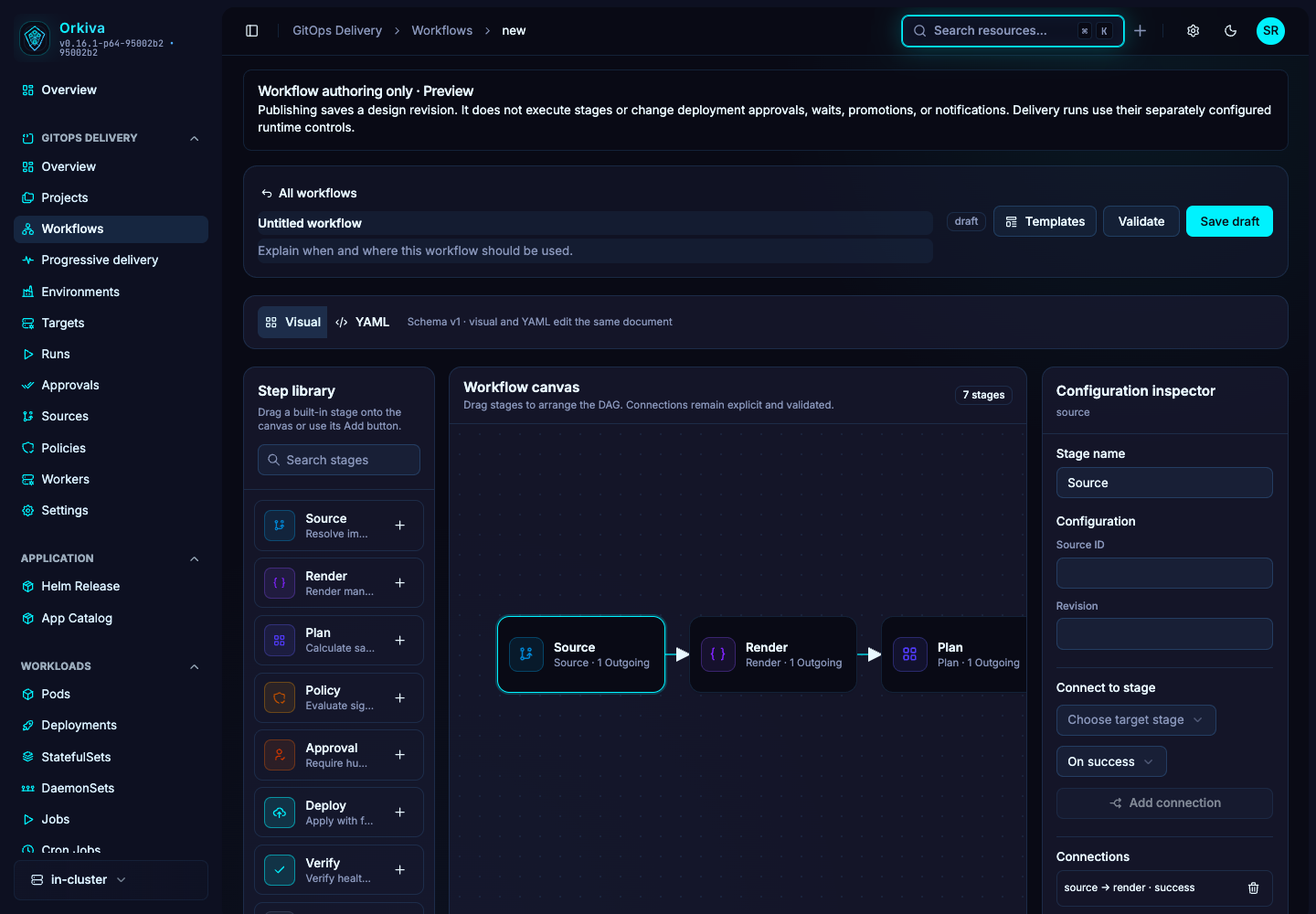
Stage configuration#
| Stage | Important fields |
|---|---|
| Source | sourceId and revision. |
| Render | rendererType and repository path. |
| Plan | Whether live state should be refreshed. |
| Policy | The stage’s enforcement choice, including deny, warn or approval. This stage setting is distinct from policy-record enforcement. |
| Approval | Minimum approvals and expiry duration. |
| Deploy | Environment and prune behavior. |
| Verify | Verification timeout. |
| Wait | Duration and reason. |
| Promote | Destination environment, sequential/parallel strategy and plan/apply mode. |
| Notify | Route, severity and message. |
Validate before publishing#
The backend validates schema version, stage types, allowed configuration fields and graph structure. A self-edge, unsupported field or invalid identifier is not fixed by moving a node on the canvas. Use the reported path/node/edge identifier to find the actual issue.
Use the server capability response and validation result as the supported contract. A workflow graph is not a general-purpose shell runner; it stores the recognized design stage types.
Publish, compare and roll back a definition#
- Save the draft after validation.
- Compare it with the published version to review added, removed and changed stages/connections.
- Publish with a meaningful message and inspect the recorded revision.
- Use revision history to inspect or restore a prior workflow definition when needed.
Rolling back a workflow definition changes the saved design version only. It is not the same operation as rolling back Kubernetes resources from a delivery run. Save a reusable workflow template only when its IDs/configuration are suitable for the intended future projects.