 orkiva
 How the pieces fit#
| Object | Responsibility |
|---|---|
| Source | Git repository, revision defaults and access credentials. |
| Environment | A named deployment context with protection and concurrency settings. |
| Target | The actual connected cluster and permitted namespace scope. |
| Project | Connects source, renderer, environment, target and automation settings. |
| Run | One attempt to fetch, render, plan, evaluate policy and optionally apply/verify. |
| Release | Retained successful delivery information used when inspecting state or promoting. |
Prepare a first project#
- Connect the destination cluster in Settings and verify it works.
- Create or choose an environment and a target. Check the target’s cluster and namespace boundaries.
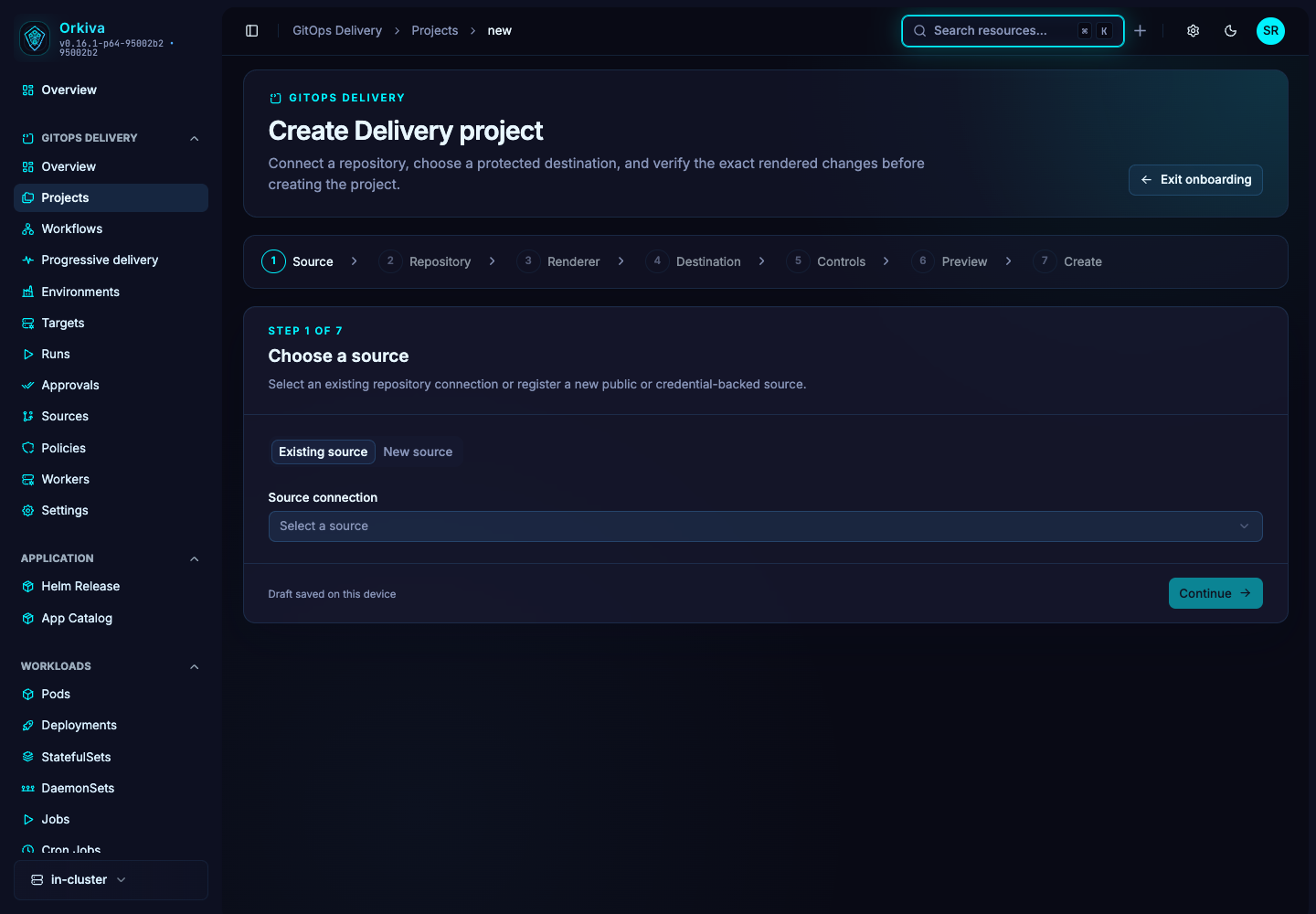
- Open GitOps Delivery → Projects and start the new-project flow.
- Choose an existing source or add a repository and its credentials.
- Inspect the repository, select the revision and the directory to render.
- Choose YAML, Helm or Kustomize and supply its renderer-specific configuration.
- Select the environment and target. Start with manual automation while learning the workflow.
- Run the preview. Inspect the resolved commit, object count, Kubernetes version and policy outcome. Correct source, renderer or permission errors before completion.
- Review the final summary and complete onboarding. Open the created project and inspect its configuration.
Before the first apply#
A successful preview is not a completed deployment. Inspect the actual run and plan before applying. If the run is waiting for approval, follow the approval flow rather than repeatedly starting another run. A policy denial requires resolving the underlying reason.
Use a non-production target for the first rehearsal. Verify a complete cycle: source revision, plan, policy result, any approval, apply result and resource health.
Use the Delivery overview#
The Delivery overview summarizes project and run activity, pending work and operational status. Follow the affected project or run to investigate. The overview is a navigation aid; the run’s detailed evidence explains what happened at each stage.