 orkiva
 Open this resource#
Console route: /deployments. This is a namespaced resource; choose the namespace before making a change.
- Select the correct cluster in the sidebar.
- Open Deployments and narrow the list using the available namespace/search controls.
- Select the exact object by name. Verify its scope and identity at the top of the detail page.
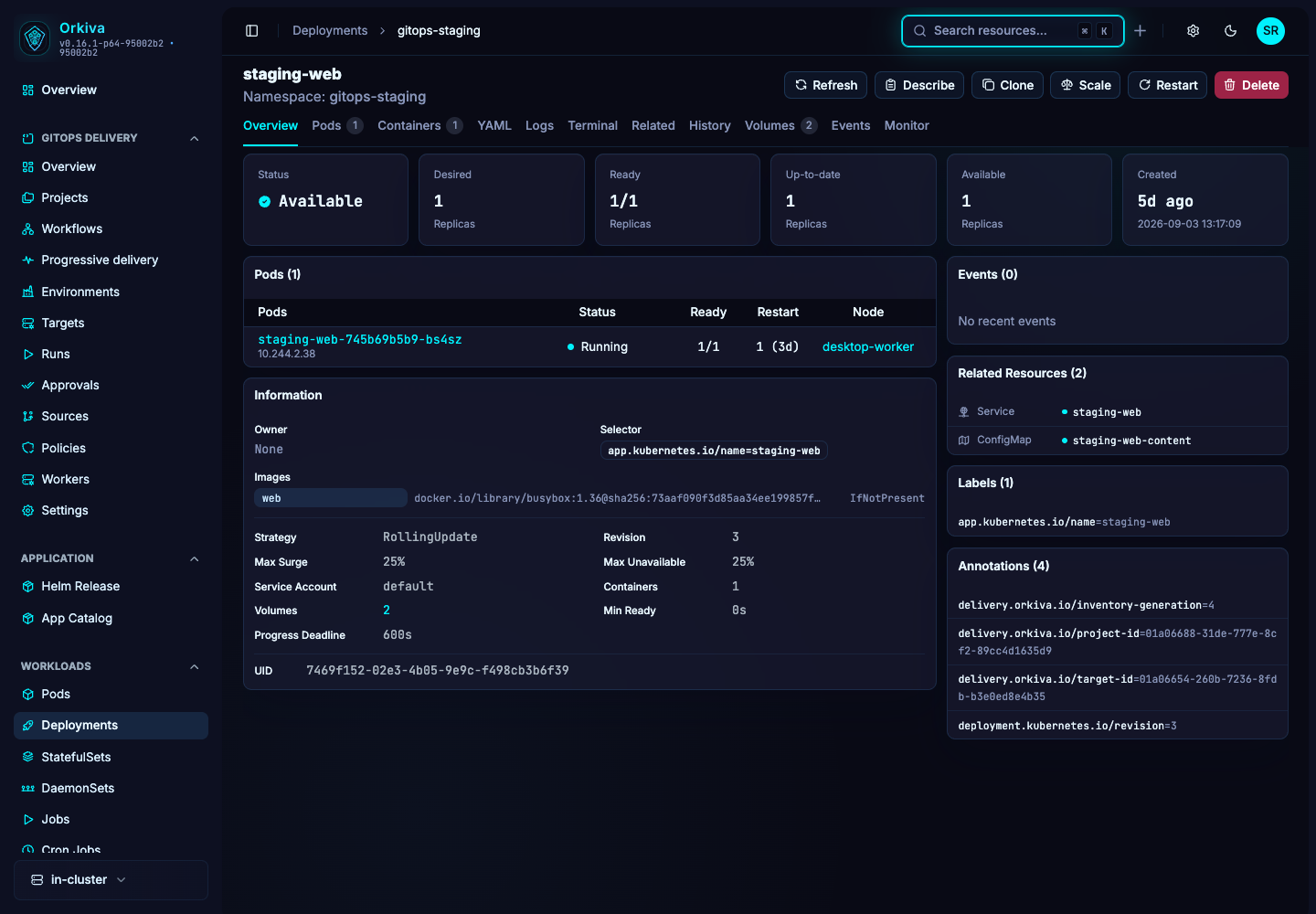
What to inspect#
Desired, ready, up-to-date and available replicas; pod list, images and rollout strategy.
Refresh the resource when you need the latest observation. Overview fields summarize the object; YAML exposes the complete returned document. A placeholder or missing status field should not be read as a successful or zero-valued result.
Use the available features#
Use Scale to set the desired replica count and confirm. Use Restart to request a workload rollout, then watch readiness. Use Containers to edit the intended container configuration. Expose creates a Service: choose ClusterIP, NodePort or LoadBalancer, set the service port and target port, and inspect the resulting Service. History/revisions help investigate previous changes; Logs, Terminal, Volumes, Events and Monitor provide supporting evidence.
Describe, Clone, YAML editing and Delete are shared resource actions where the page and your permissions allow them. Read Create, edit, clone and delete resources before applying a change.
For field-by-field instructions, see Edit images, resources and environment.
A practical investigation#
After a scale or restart, inspect pods and events until the desired replicas are available. If an HPA or GitOps controller also manages the field, identify that owner before making repeated manual changes.
- Establish the current state and the symptom you want to resolve.
- Identify whether a controller, Helm release or Delivery project owns the object.
- Make the smallest authorized change through that owner when possible.
- Refresh and verify the resulting resource state. Inspect related objects rather than stopping at a successful save message.