 orkiva
 Update your account#
- Open the user menu and the account settings dialog.
- In Profile, change the nickname and save. This changes your display profile rather than your Kubernetes permissions.
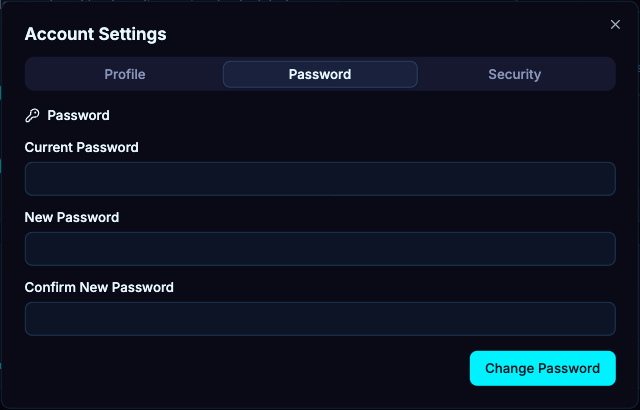
- For a local-password account, open Password, enter your current password, the new password and its confirmation, then save. For an external identity, manage the provider password through that provider.
Set up multi-factor authentication#
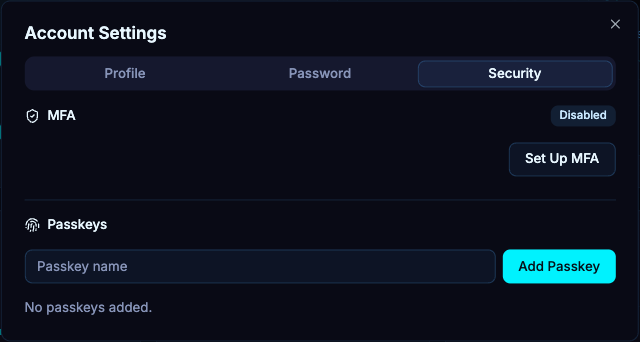
- Open the Security tab and begin MFA setup.
- Add the displayed authenticator information to your authenticator application. Treat the enrollment secret and otpauth URL as account secrets.
- Enter the current one-time code to finish enabling MFA. Beginning setup alone does not enable it.
- When asked for recent authentication during a sensitive operation, provide the current password and MFA code as applicable.
Manage passkeys#
The Security tab also lists registered passkeys. Supply a name when creating one, follow the browser or operating-system credential prompt, and verify the new registration appears. A passkey relies on a compatible browser and the installation’s configured origin; registration on one hostname does not make arbitrary alternate hostnames equivalent.
Use the remove action only for a credential you no longer need. Keep a working sign-in method before removing an authenticator or passkey. The server can require reauthentication before security changes.
Troubleshoot sign-in#
- An invalid one-time code can result from an expired code or an incorrect authenticator clock. Try the current code rather than reusing an older one.
- If a security action asks you to authenticate again, signing in earlier in the day is not necessarily recent enough. Complete the specific reauthentication prompt.
- For an external-login failure, check the provider and callback configuration with your administrator. Account settings cannot repair a broken provider connection.