 orkiva
 Create an environment#
- Open GitOps Delivery → Environments. Use the management view to create or edit environment records.
- Enter the environment name, choose the protection level and set its concurrency limit.
- Save and select the environment when creating a project.
- Verify the environment matrix shows the intended project/release relationship.
An environment is a Delivery concept. Creating one does not create a Kubernetes namespace or provision a cluster. Protection and concurrency settings affect delivery behavior, so use a name and policy that match the operational boundary.
Protection choices are development, protected and production. The environment concurrency limit is validated between 1 and 1000. These are policy settings, not performance guarantees.
Create a target#
- Open Targets and choose the create action.
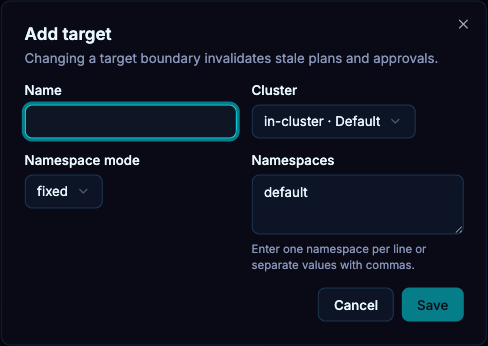
- Name the target and select the connected cluster. Confirm the cluster identity rather than relying only on its default selection.
- Choose the namespace mode. Fixed scope uses one destination namespace, allowlist permits the listed namespaces, and cluster scope is broader.
- Enter the allowed namespaces when required and save.
- In a project preview, verify that rendered objects fit the target scope.
The target form accepts comma- or newline-separated namespace values and removes duplicates. Selecting cluster scope removes the fixed namespace list from the submitted target. It does not bypass Kubernetes or Orkiva authorization.
In fixed mode, an omitted object namespace is filled with the fixed namespace and a different namespace is rejected. In allowlist mode, an omitted namespace is filled only when the list contains one namespace; with multiple choices the manifest must specify an allowed namespace. Use exactly one namespace for a fixed target. Cluster mode submits no namespace list.
Read the environment matrix#
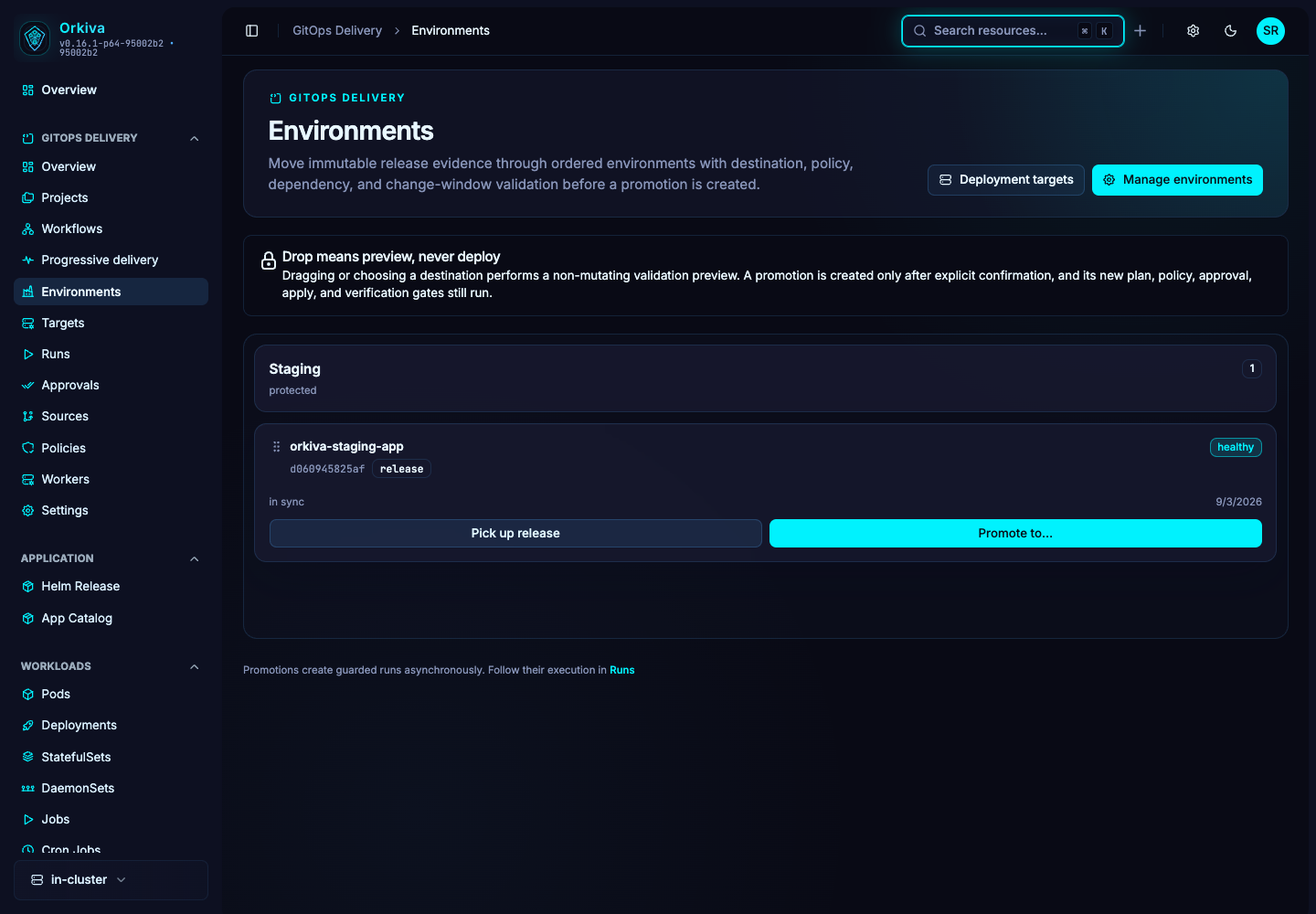
Use the matrix to compare project/release state across environments and locate promotion actions. Verify the source release, destination project and target before advancing a release. A blank cell can mean no matching release or project; it is not necessarily a connection failure.
Changing or deleting configuration#
Refresh before editing shared records. Delivery updates use record versions to reject stale changes. If deletion is rejected because an object is referenced, remove or reassign the dependency deliberately instead of attempting to force-delete records in the database.